
CASE STUDY · TASTING SUNSETS
How average engagement time increased 58% after we added local currency prices
Tasting Sunsets publishes travel guides for an international audience. AutoCurr keeps destination prices visible and adds each reader's local currency, making unfamiliar amounts easier to understand.
See the observed result ↘THE PUBLISHING PROBLEM
Useful prices can still create friction
A Japanese attraction should still be listed in JPY. But a reader in Belgium, the US, or the UK may not immediately know what JPY 1,800 or JPY 20,000 means for their budget.
Our Tokyo things-to-do guide contains seven JPY price references localized with AutoCurr. Manually adding EUR, USD, and GBP would mean maintaining several values as exchange rates change. Without familiar context, readers may need to calculate the cost or look it up separately.
Keep the price travelers will actually pay
The Shibuya photoshoot section shows the original JPY amounts alongside EUR for this reader. Yen remains visible because that is the currency travelers will encounter in Japan. The source price is not replaced.
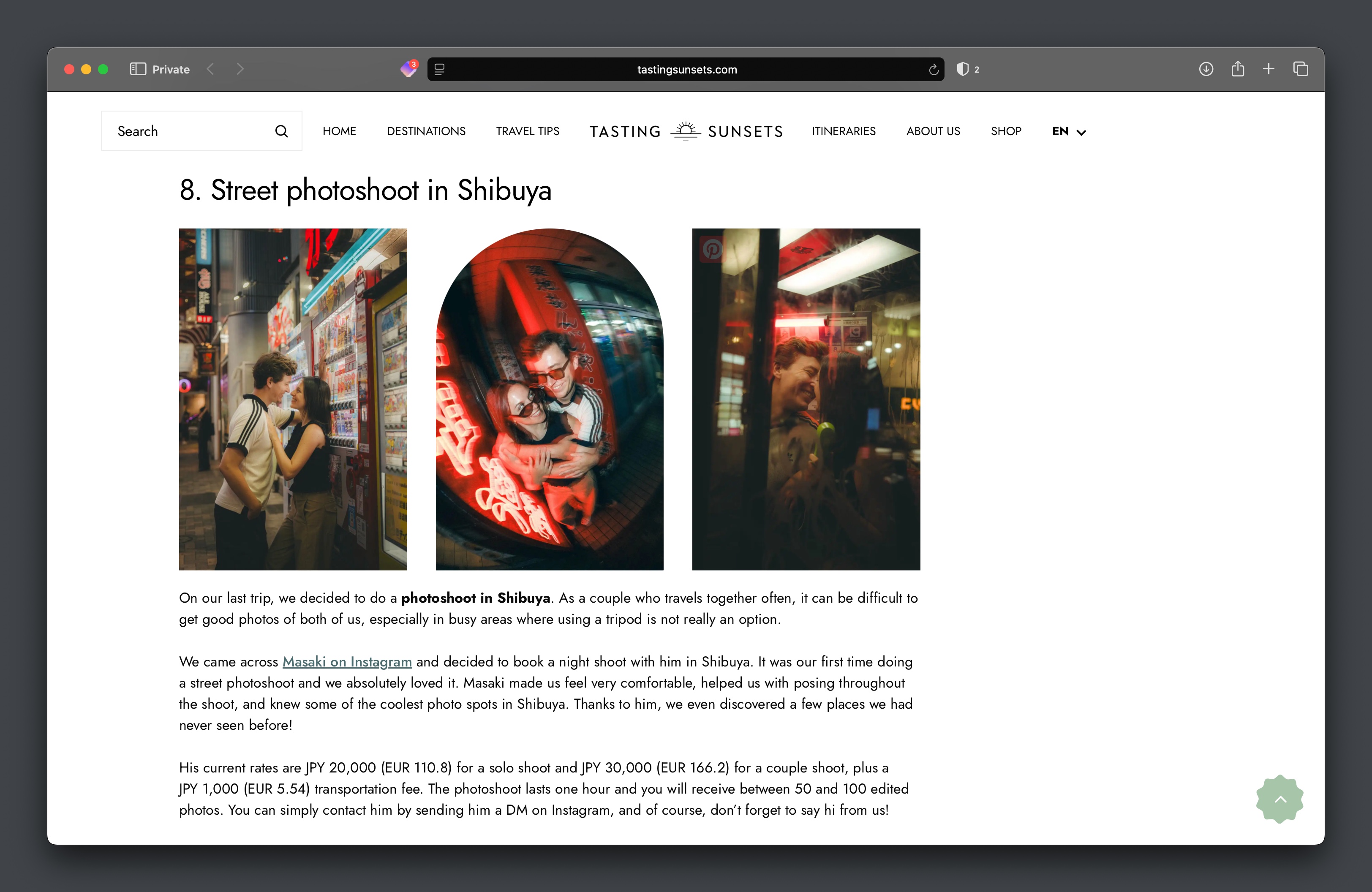
One source price. Familiar context for each reader.
We maintain the destination price. AutoCurr adds the appropriate reader currency alongside it: EUR for a reader using euros, USD for a reader using US dollars, or GBP for a reader using pounds.
The original amount stays intact. The localized value adds context without asking us to maintain several manual conversions.
THE OBSERVED RESULT
Readers stayed engaged longer
Average engagement time per active user
- Before AutoCurr
- 2m 33s
- After AutoCurr
- 4m 02s
After we introduced localized price conversions, average engagement time per active user increased from 2 minutes 33 seconds to 4 minutes 2 seconds, a 58% increase.
We think removing one small research barrier contributed to that improvement. Readers can understand unfamiliar prices inside the article instead of mentally converting them or opening a separate currency converter.
Source: Google Analytics 4. Metric: Average engagement time per active user. This is an observed before-and-after comparison on Tasting Sunsets. Other factors can also influence engagement, so we do not treat the change as a controlled measure of causation.
INSIDE THE ARTICLE
Adding a price takes a few clicks
The same Tokyo guide shows both ways to add localized prices. Free uses a shortcode. Pro lets us select a price in the text and apply AutoCurr directly.
With Free: one shortcode for each source price
The photoshoot paragraph uses AutoCurr shortcodes for the solo shoot, couple shoot, and transportation fee. Each shortcode supplies an amount and JPY as the source currency.
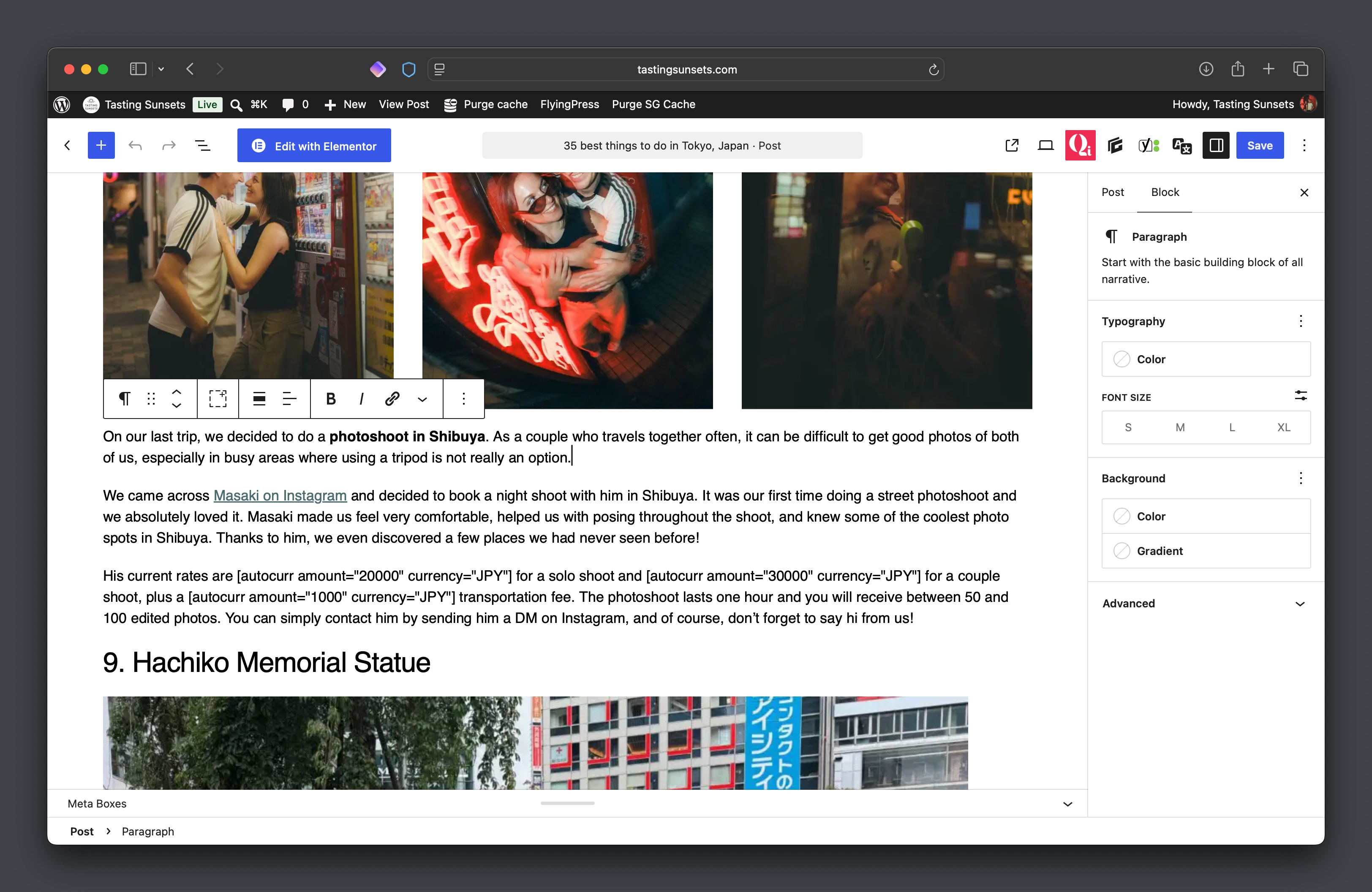
With Pro: write, select, click, insert
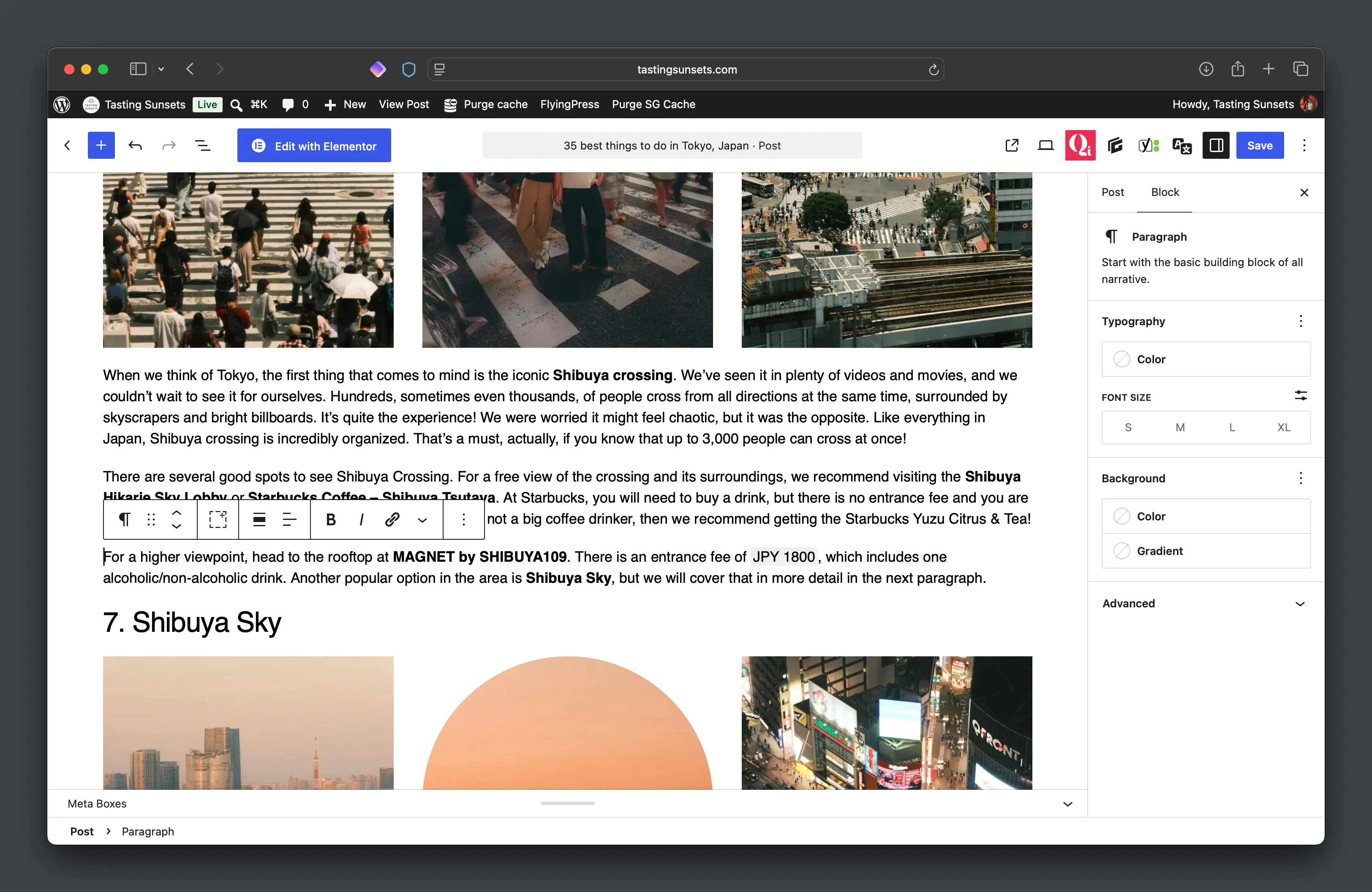
We work directly with existing article text. Here, an entrance fee becomes an inline AutoCurr price.
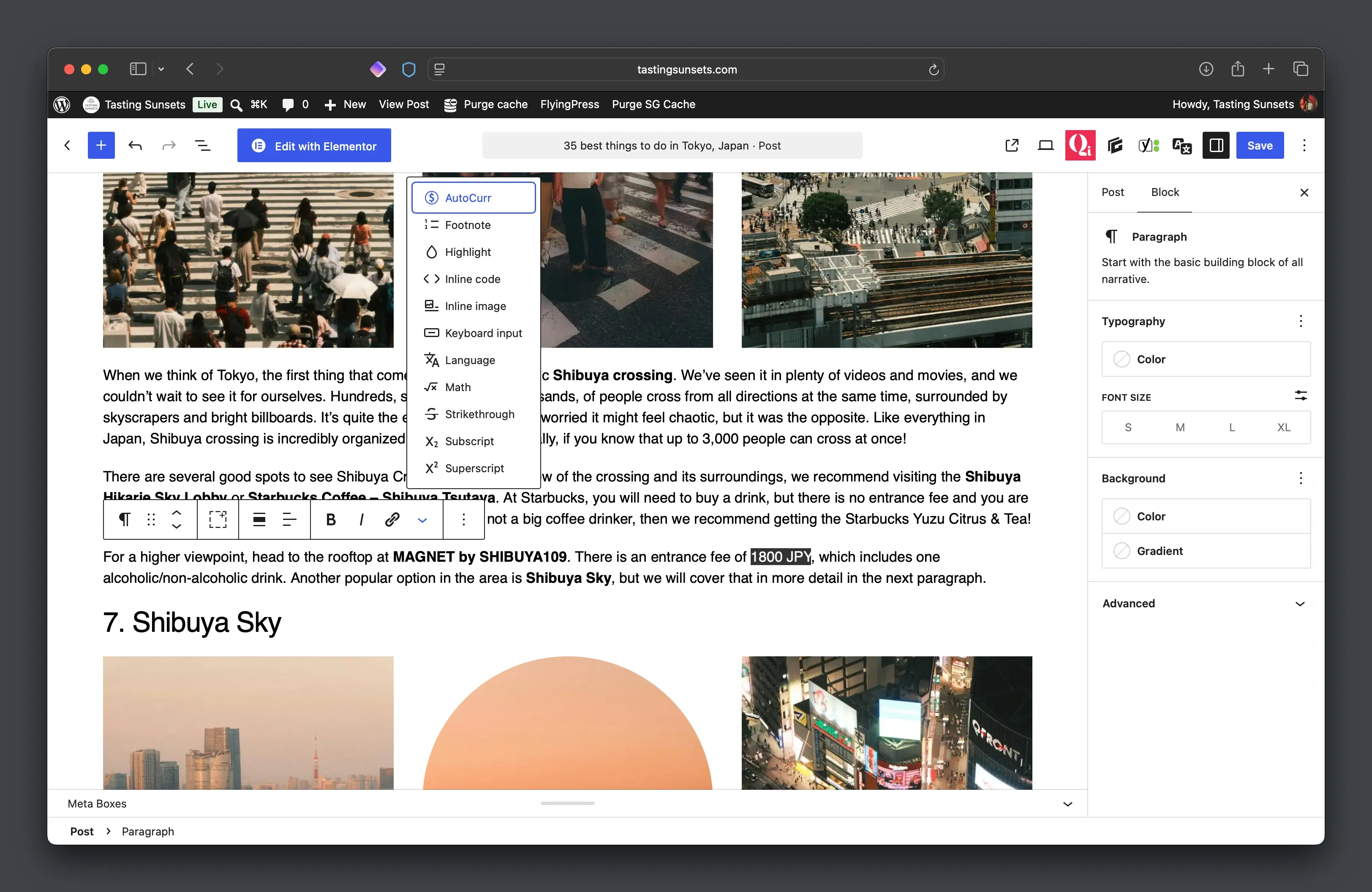
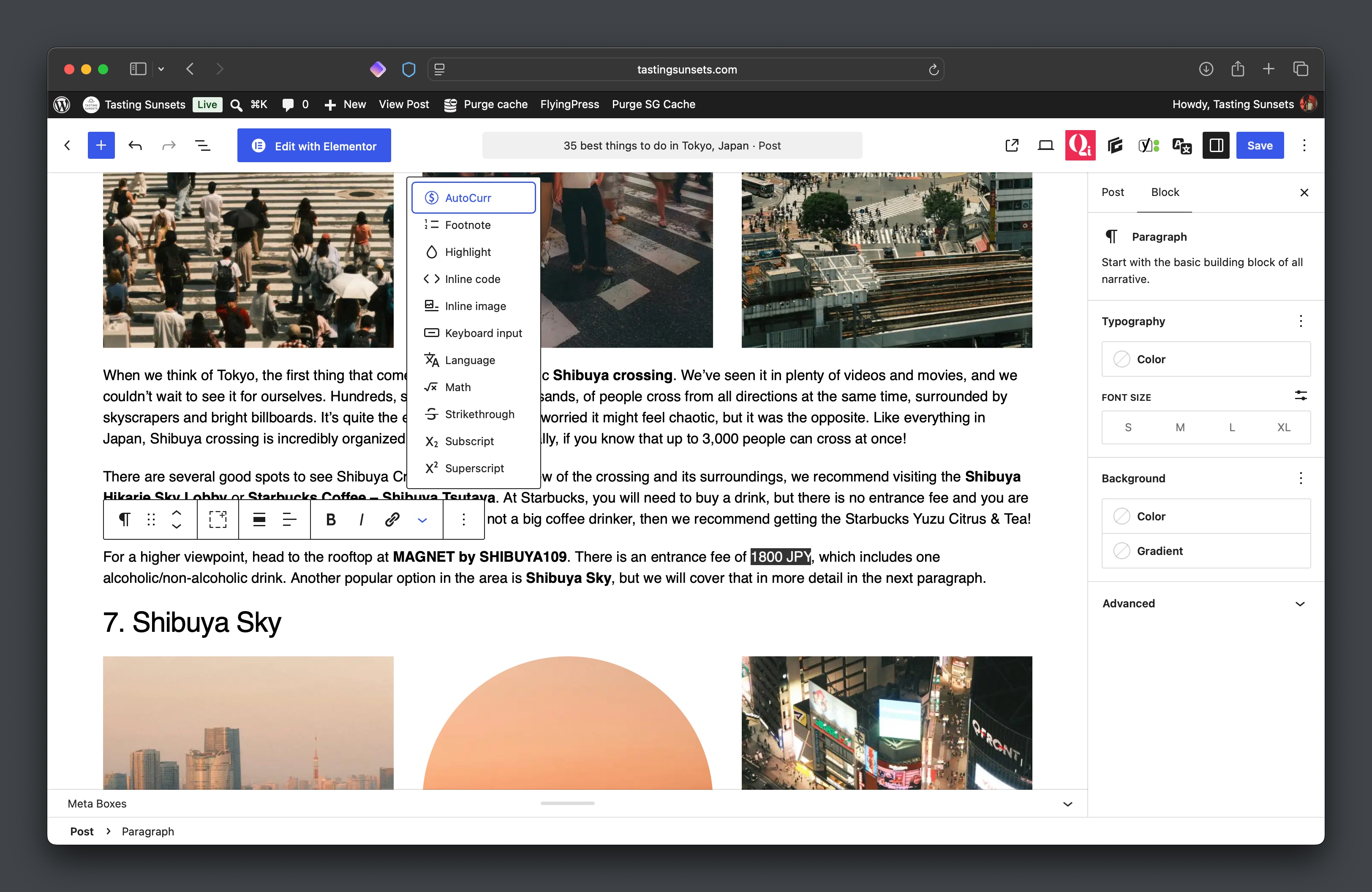
Select the price and choose AutoCurr
We write the source price normally in the article, select 1800 JPY, and choose AutoCurr from the text toolbar.
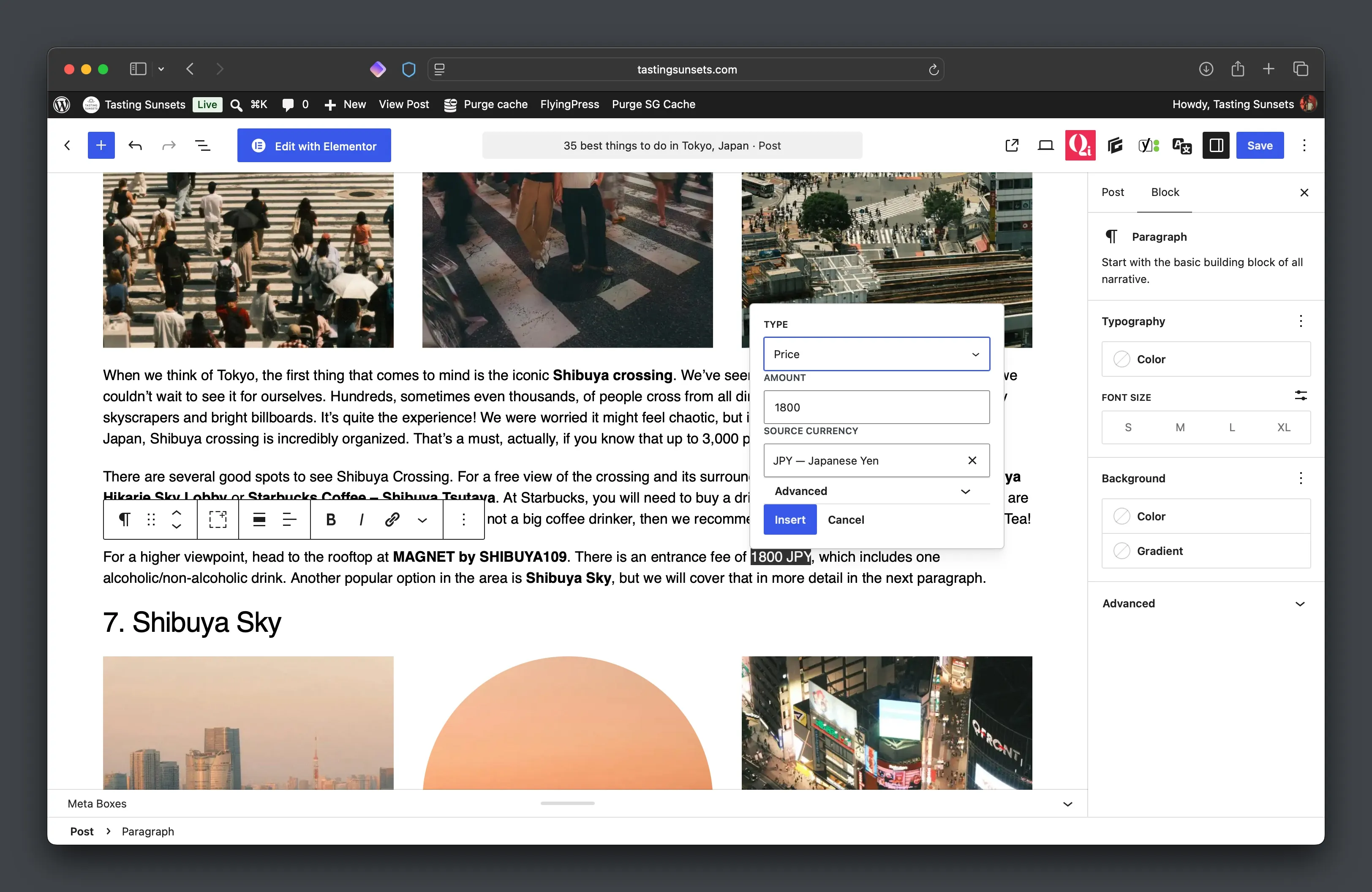
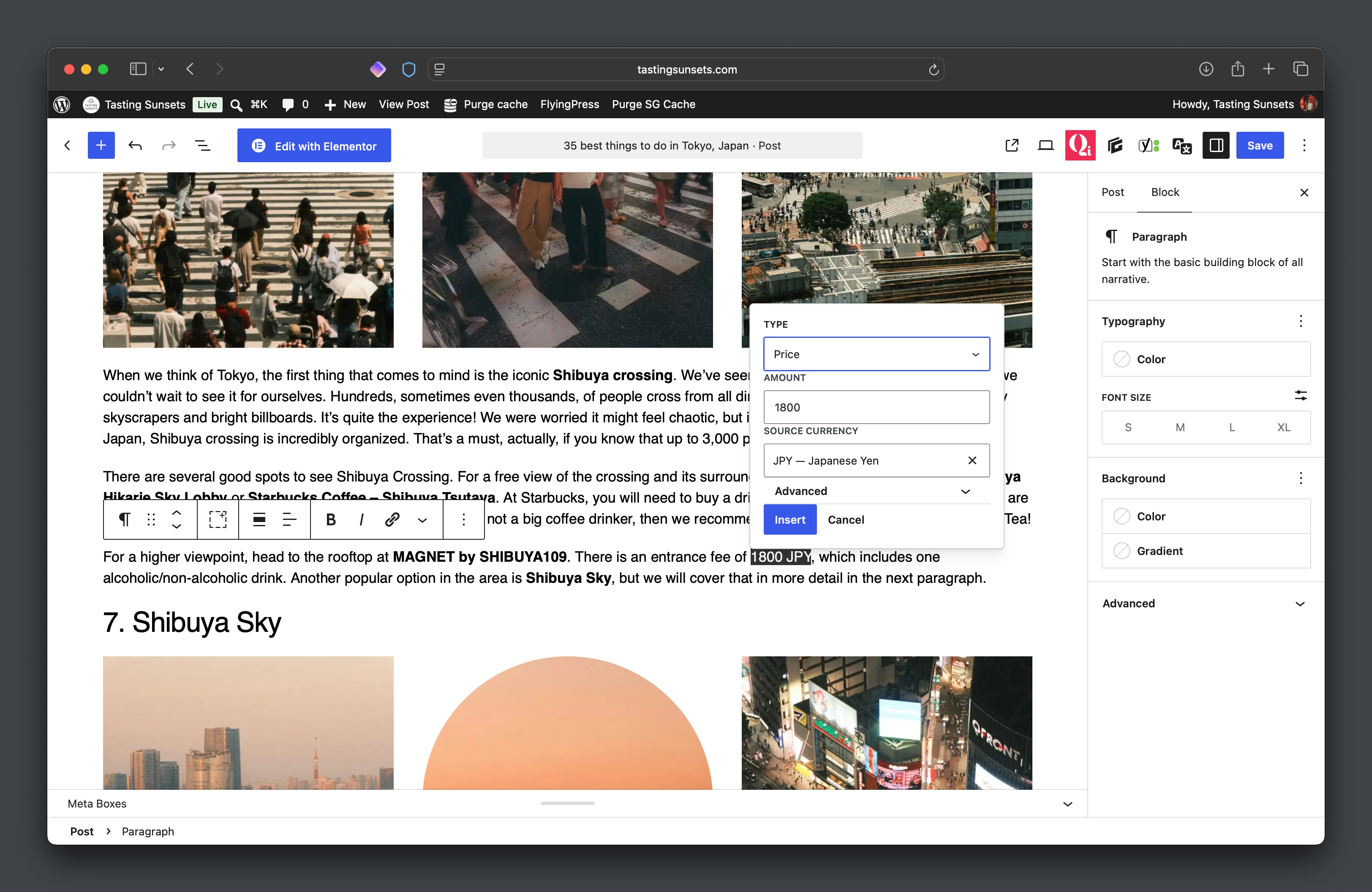
Review and insert
AutoCurr recognizes the amount and source currency. We review 1800 and JPY, then click Insert.
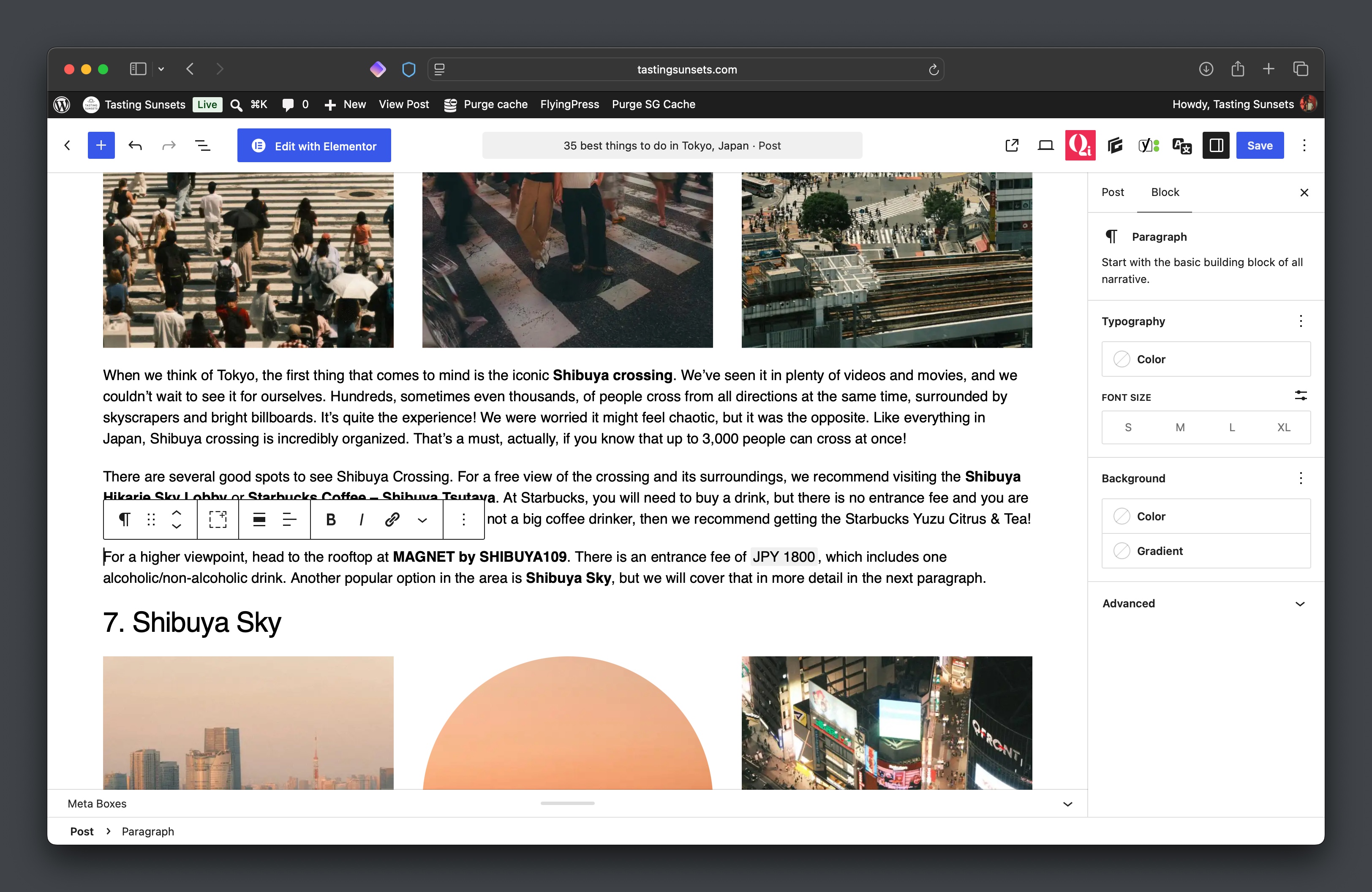
Keep writing
The price is now an AutoCurr-enabled inline value. It stays part of the sentence while AutoCurr handles the reader conversion.
We maintain the source price, not every conversion
Supporting several reader currencies manually would mean calculating and maintaining EUR, USD, and GBP equivalents. With AutoCurr, we maintain the source price and let the plugin handle the localized conversion.
That is useful for the attraction prices, transport fares, tours, restaurant prices, tickets, and other destination costs that appear in travel guides.
LESS REPEATED WORK WITH PRO
Repeated prices only need one source
An attraction price might appear in a destination guide, an itinerary, and a dedicated attraction guide. AutoCurr Pro's Price Library lets a publisher store that source value once and reuse it.
Change it once. Update it everywhere.
When the source price changes, update its Price Library entry instead of searching through each article manually.
Pro also includes visual authoring, price ranges, a visitor currency switcher, and display and localization controls.
Built from our own publishing problem
AutoCurr started as a tool for Tasting Sunsets. We publish travel guides for an international audience and regularly include prices in currencies such as EUR, JPY, and AUD.
We wanted readers to understand those prices without forcing us to manually maintain several conversions throughout the site. What started as an internal publishing tool became AutoCurr.
AUTOCURR FREE
Try it on your own content
AutoCurr Free automatically adds local currency context to prices inside WordPress posts and pages.
Get AutoCurr FreeAUTOCURR PRO
Publish prices regularly?
AutoCurr Pro adds the Price Library, visual authoring, ranges, visitor currency switching, and more control over localized prices.
See AutoCurr Pro